Finding Balance in Productivity and Exploration as a Tech Enthusiast
In this article I'll be discussing my journey as an engineer who loves tinkering with new technologies, and how I found a balance between flexibility tto explore without compromising on productivity.
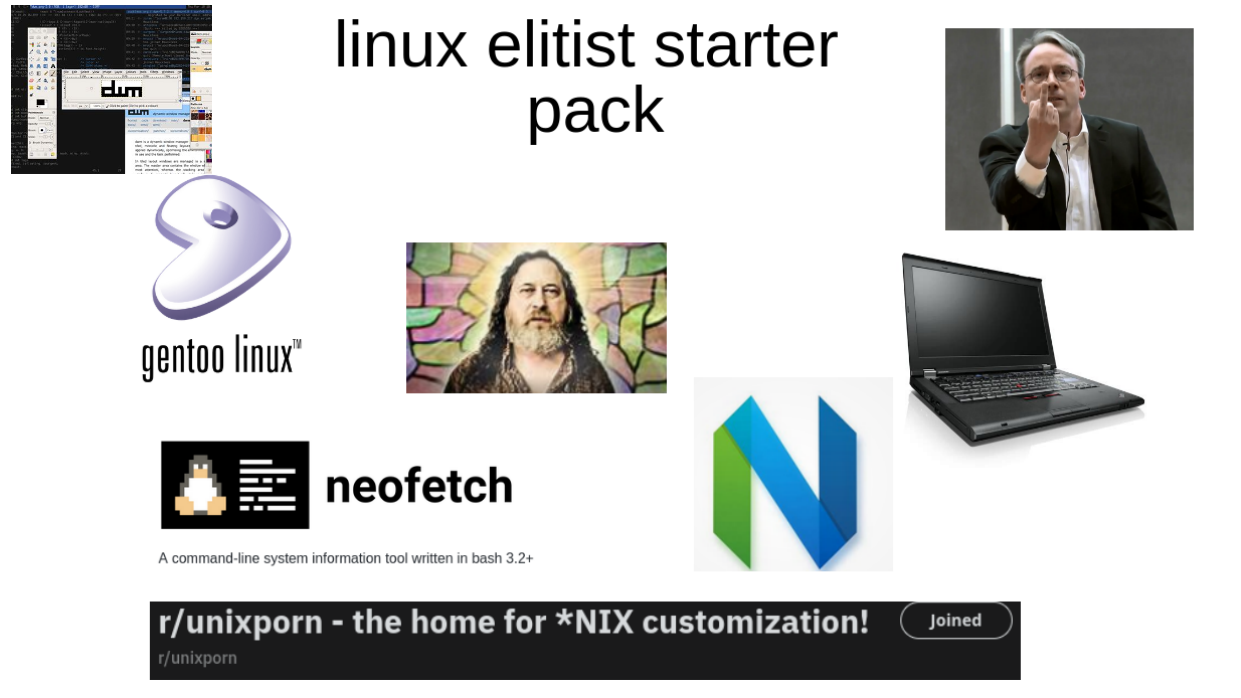
If you're on my blog, chances are you've been/are the person in the cover image, a person who is constantly trying new linux distros, programming languages, frameworks, and tools. Linux users suffer from "distro hopping", developers from "framework fatigue", and tech enthusiasts from "shiny object syndrome". The common theme here is the urge to explore new technologies, which can be both a blessing and a curse. I've for years struggled with this balance, often finding myself overwhelmed by the plethora of options available. However, over time, I've developed strategies to manage this urge while maintaining productivity. And today, I want to share my journey and insights here.
My Journey
I started with Ubuntu 12.04 in 2014, mostly because my laptop just couldn't handle Windows 8 with the paltry 4GB RAM it had, and I just couldn't get Visual Studio to work on it for the python projects I was working on back then, so my choices were clear, get a new laptop or downgrade to Windows 7 (which was still going to be slow given my hardware) or just switch to Linux. I knew very little about Linux back then, I just knew it was super different and a lot of the software I was accustomed to on Windows wouldn't run on Linux, so it would probably come with a long learning curve. This also meant, for a while I just wouldn't be productive (the first sign of the recurring theme in my life where I'd question the worth of learning something new vs the productivity hit it would entail).
Either way, after some googling, I found a DigitalOcean (I think, because I spent many years following them relying on their articles to do any kind of setup on Linux like say Nginx or Postgres, and still went reach for the site) guide to install Ubuntu 12.04 and I was off, I ended up nuking my D: drive because I wasn't too familiar with gparted back then and the partitioning confused me, luckily I had backed up my projects on a flash drive and I was mostly fine.
Up and Running
My laptop felt like a new beast, this was the Unity days of Ubuntu, and I quite liked the interface and the customizability it offered, I always loved visual customization and was used to editing the boot logo on Windows for example, so this was fun. I spent a while getting my desktop environment to look like MacOS with a few tweaks here and there, and I was off to get my dev environment set up. I stuck with Gedit as it came stock and had syntax highlighting, everything else came through apt and that was perfect, I could see the convenience, I had saved the commands to install git, python3, pip, virtualenv, nodejs, npm and a few other essentials in a text file and I could just copy paste them whenever I reinstalled the OS, which I did often because I was still learning and breaking things often.
Later I moved to Xubuntu when I wanted to switch to PyCharm and needed some more spare resources, and in that process I ended up nuking my greeter I think when I purged the ubuntu-desktop package to save space, and I had to do a fresh install, I grabbed my files by mounting the live USB and copying them over including my file with all the commands I needed to set up my dev environment, and I was back up and running in no time. This was fun to see the flexibility, on Windows yes I wouldn't have the power to break my system easily, but if I had to move laptops, installing stuff and navigating installers would be a pain, here I could just copy paste commands and be back up in no time. And when I did upgrade my laptop, I could move to 14.11 and then 16.04 without issue, overtime I had moved on from PyCharm to atom to vscode. I finally got around to writing bash scripts to automate my setup process, and I was loving the flexibility and control I had over my environment. I poked around with Manjaro (back when Manjaro was half decent) and later Pop!_OS when I got a PC with a 1080Ti (that served me until 3 months ago, RIP, you will be missed, and there will never be a card like you in this economy and market) and was dabbling with CUDA and Tensorflow for some deep learning projects I was working on, this meant I had to switch to Nvidia drivers and Pop!_OS made that super easy, and I was loving the experience after having borked my Xubuntu install trying to get Nvidia drivers to work and Manjaro was just a nightmare within a few weeks of use. Later I moved to Fedora for a while and stuck with it, during which time I fully committed to making my setup scripts better and realized I would most likely be sticking with Fedora long term since it was just working for me and had all the guides I needed to get stuff done.
Tweaking and Breaking
I could distro-hop with about a day's downtime thanks to my setup scripts and for a while that was my weekend, just have a new distro to explore, until I got around to Fedora and decided to stick with it, meanwhile I had a few side projects going on, my start-ups and other work I was doing, it needed some stability, and it also meant I couldn't spend a full day fixing errors on my system and not my code when I'm experimenting. I looked into Docker Dev Enviornments for a while and it made sense, but for some projects the overhead was just too much, and I still wanted to tinker with my host OS, so I stuck with Fedora and my setup scripts would try to get as much done as possible, not just limiting them to package installs, but also to setup my config files for say git, ssh, zsh and so on. This meant there was less manual work and I could get back to coding faster.
Each time something broke, I had a lot to learn obviously, but I also learned to be more cautious, and to read up on potential issues before making big changes. This meant I could still explore new technologies, but with a safety net in place. As someone who worked with JavaScript projects, I knew the pain of trying to adopt new stuff without reading up on it first, so that mindset helped me here too.
Nix
I can't say enough good things about NixOS, it has been a game changer for me. NixOS and Nix in the simplest terms boils down to the following:
- You define your entire system configuration into a couple of
.nixfiles. This includes everything from installed packages, system services, user settings, and more, and also your actual hardware configuration (like GPU drivers, WiFi drivers etc). - You can create individual development environments for your projects using
nix-shellordirenvwithnix, which allows you to specify specific tooling you need that may differ from your system setup. It's essentiallyvirtualenvfor your entire system and projects. - Each build of your OS as you evaluate it against your configuration is available to you as a rollback option, so if something breaks, you can easily revert to a previous working state by choosing it during boot or using the
nixos-rebuildcommand. So as long as your bootloader is intact, you can always get back to a working state.
Now this was a logical next step for me, I test drove Nix as a package manager for Fedora first, had a very good experience and then switched to NixOS fully. The learning curve was steep, but the payoff has been immense. And post AI, working with Nix has become even easier, as I can just prompt AI to help me write my configuration files and fix errors I encounter along the way, I'm happy "vibe configuring" my system with AI assistance, because I know I can always roll back if something goes wrong, so it took away a lot of pain points I had earlier. I was also able to get nix to work on MacOS for me when I got a M1 MacMini to do some React Native development, and it worked like a charm, so I had a consistent experience across my systems.
Today I just have one giant dot files repo that has everything I need to set up my system and dev environments, and with NixOS, I can just run a couple of commands to get everything set up, and I'm back to coding in no time. The OS doesn't matter (on windows I just use WSL2 with Nix installed), my setup is consistent, and I can explore new technologies without the fear of breaking my system or losing productivity. I've extended these principles to my day-job as well, I've a cut-down version of my dotfiles that just sets up the essentials I need to get started on work, and I can get my work laptop set up in no time, which I also have my direct reports use, so we all get a consistent experience, and I can roll out fixes or updates easily to everyone (you can find that here). I can experiment with new desktop environments, window managers, and tools on my personal machine without worrying about my work setup, and bring them over if they prove useful and stable enough.
Development Tools
I've spoken a lot about the OS side of things, and for a while, I've been working across Linux and MacOS (WSL2 on Windows), and my development tools have remained fairly consistent. Here's a quick rundown of my current setup:
- Code Editor: I use NeoVim with a big set of plugins (that I am constantly tweaking) for most of my coding. And I have it wired up for my work and personal projects separately, so I can have different setups as needed.
- I also have a super minimal
vimsetup for quick edits on remote servers or when I'm in a pinch. - I do use
VSCodeoccassionally when I need the full-fledged Copilot experience, but I runneovimoff the integrated terminal inVSCodeto keep things consistent. The AI tooling onNeovimis getting better and I'm exploring options there to make a full switch eventually and not have to rely onVSCodeat all. I just like the speed and customizability ofNeovimtoo much to give it up.
- I also have a super minimal
- Terminal: WezTerm is my terminal emulator of choice, I've settled for it after a lot of time with
Kitty, and am sort of eyeing ghostty for the future (but don't want to rock the boat right now). The terminal doesn't matter to me as much as long as it runs smoothly and supports ligatures, so that I can have my Nerd Fonts rendered properly. - Shell: Fish Shell with
Oh My Fishfor plugin management. I love the auto-suggestions and syntax highlighting it offers out of the box, and it has a lot of community plugins to enhance functionality, including avimmode plugin that lets me usevimkeybindings in the shell. tmuxfor terminal multiplexing, allowing me to manage multiple terminal sessions within a single window. I have a customtmuxconfiguration that enhances usability and aesthetics, while also using Zellij for quick throwaway terminal multiplexing needs when I'm just testing something out.
I'm a big fan of TUIs and CLIs, so I find myself gravitating towards tools that offer terminal-based interfaces. Some of my favorite terminal tools include:
- Zoxide for quick directory navigation. It has a fuzzy matching algorithm that learns your frequently used directories and helps you navigate to them quickly without having to type the full path or be in the exact parent directory.
- Lazygit for git management.
- Lazydocker for docker management.
- Jira-cli for managing Jira tasks from the terminal.
- Bat for file viewing with syntax highlighting. (just like
catbut better) - Fzf for fuzzy finding files and commands.
- Ripgrep for fast searching within files.
Honestly, just check out my dot files repo for a more comprehensive list of tools and configurations I use, but I just wanted to shout out a few of my favorites here.
Any language I work on, I rely on nix to manage my development environments, so I don't have to worry about version conflicts or dependency hell. Whether it's Node.js, Python, Go, or any other language, I can spin up a consistent environment with the exact versions and packages I need. And I also use direnv to automatically load and unload environment variables when I enter or leave a project directory, which is super handy for managing secrets and configurations.
Split Keyboard
I also got around to setting up a Sofle split keyboard recently, and the premise of being able to have the firmware customized to my liking has been fun, I can control what each key does, manage layers, and also get the OLED display to play animations for me while I code. It's been a fun project to tinker with, and has improved my typing comfort and speed significantly. I guess my keybaord is now on git too, you can find my Sofle Configs here.
split-keeb.MOV
Preferences and Mindset
I love vim keybindings, so I use them everywhere possible, from my code editor to my shell to even some GUI applications that support it, including the browser. This consistency helps me stay productive and reduces context switching. I just know what to expect, and I can focus on my work rather than fighting with the tools. I've also embraced the philosophy of "progress over perfection". I used to get caught up in trying to find the "best" tool or framework for a task, but I've learned that it's more important to just get things done. I pick tools that are "good enough" and focus on delivering value rather than chasing the latest shiny object.
Over the years I've focused on building a system that allows me to explore without sacrificing or having to compromise on productivity. It started with a need to be able to automate my setup process, and then it grew into automating configurations and managing environments. The key has been to find tools and workflows that provide flexibility and control while minimizing downtime and friction. And with the help of AI tools, I've been able to streamline this process even further, allowing me to focus on what I love most - coding and building cool stuff. I don't have to learn the random configuration syntaxes from scratch anymore, I can just prompt AI to help me out, and I can always roll back if something goes wrong, and that safety net lets me move faster and explore more freely. Getting here wasn't easy, I lost a lot of files, configurations, so many hours troubleshooting, but it was worth it. If you're a tech enthusiast like me, I encourage you to find your own balance between exploration and productivity. Embrace the tools and workflows that work best for you, and don't be afraid to experiment and learn along the way. Happy coding!
Things I am exploring next
- Niri: A new window manager that looks promising, I want to see how it compares to my current setup (you'll probably see some configurations related to it in my dotfiles if I like it).
- Ghostty: I feel like this is a lot of "TechTuber" hype, but I do want to try it out and see if it lives up to the promises made.
- AI Integration in Dev Environments: Exploring more ways to integrate AI into my development workflow, beyond just code generation. This includes using AI for code reviews, testing, and even project management. I've had some fun with Spec-kit, but I don't want to be tethered to
VSCodefor that experience, so looking for alternatives.
// Enjoyed this post?
Help others discover it by sharing on your favorite platform.